Workflows and samples are designed for this site. Inputs are fictional teaching material; references are not product execution records.
Run a local model
Prepare a checkable deployment plan before validating in your own authorized environment; scope both memory estimates and platform claims.
Open inputs, steps and acceptance
Input
Prepare OS/architecture, task, available memory, candidate repo/revision, model licence and network constraints. The exercise assumes a fictional 10 GiB budget, not a real machine.
Deliverable
Deliver version/licence records, capacity assumptions and unknowns. Record execution evidence separately; keep unexecuted steps unexecuted.
Find resources by role
Resources illustrate roles. Inspect their conditions first; there is no mandatory combination.
Define task and limits
Record language, output length, network limits and logging permission. Start with fictional input rather than production data.
Match model and runtime
Retain repository, pinned revision, filename and licence URL. Check runtime support for that model/format/platform version; an extension or API name is not compatibility evidence.
Separate weights, cache and reserve
Budget resident weights, cache structure, total cached tokens and concurrency. Confirm architecture scope first; file size is not resident memory.
Separate validation from planning
After planning, check loading, output and observed allocation with short input in your own environment, then adjust context/concurrency. Keep failures and fallback steps; do not report estimates as observations.
How to check the deliverable
- Model/runtime/file revisions are identifiable, with licence and intended use recorded separately.
- GiB, cached length, concurrency, architecture scope and reserve are not replaced by one fixed percentage.
- The reference plan’s 9 GiB estimate is not reported as successful execution.
When it fails
Budget context and concurrency
On-site support:Data · Cloud · Skills · Evals · OSS
Sample input · Designed reference · Blank worksheet
Fix a code issue
Use a deliberately wrong small function to practice reproduction, minimal edits, checks and rollback. The reference is site-authored code, not a coding-product test.
Open inputs, steps and acceptance
Input
Download add-bug.mjs and the input JSON. The contract adds two finite numbers; this exercise does not expand into a money library or data-cleaning feature.
Deliverable
Deliver reproduction steps, a minimal patch, before/after checks and rollback instructions. Preserve the failing input, not just the repaired code.
Find resources by role
Resources illustrate roles. Inspect their conditions first; there is no mandatory combination.
Reproduce a difference
Record file/environment and separate expected from observed output. For 2+3, expect 5; the bundled wrong version returns -1. This concerns the supplied code, not an AI product.
Bound the edit
Fix the wrong operation without reorganizing directories, adding dependencies or touching unrelated files. Check code/log uploads before using an external assistant.
Check patch and results
Inspect the diff, then check positive, negative and zero inputs. Cases must distinguish wrong and repaired implementations; a case both pass is insufficient evidence.
Keep a reversible deliverable
Keep the original or a patch, with rollback instructions and untested behavior. Downloaded reference code is not a substitute for checking your own edits.
How to check the deliverable
- At least one reproduction case distinguishes the wrong and repaired versions.
- The patch stays within scope and adds no remote calls or dependencies.
- Check results, execution scope and rollback remain inspectable.
When it fails
Continue the full repair workflow
On-site support:Data · Cloud · Skills · Evals · OSS
Sample input · Designed reference · Blank worksheet · Wrong code · Reference repair
Check sources and write a brief
Use three fictional announcements to retain dates, eligible users, preview status and unknowns. Searching, organizing and checking have separate outputs; more links do not replace support.
Open inputs, steps and acceptance
Input
The input JSON contains three announcements for one fictional product. Use only those texts initially; do not search for the fictional product and invent real-world facts.
Deliverable
Deliver a one-page brief and claim-to-source record with dates, eligible users, locations, conflicts and unknowns.
Find resources by role
Resources illustrate roles. Inspect their conditions first; there is no mandatory combination.
Write an answerable question
Ask who receives the preview, whether it was delayed, and when public availability begins. Record unknowns; a headline does not establish general release.
Assign a purpose to each source/tool
Search tools locate originals; source-reading tools organize collected material; scholarly tools are relevant only to paper-related questions. All three are not mandatory for every task.
Locate support for every claim
Use A/B/C and paragraph IDs in the exercise. For real sources, retain original URLs, access dates and necessary passages; preserve preview status, delay and scope together.
Keep unknowns in the brief
Return from summaries to originals for each key sentence. If no public date is given, keep it unknown. Two answers based on one source are not independent evidence.
How to check the deliverable
- Every claim locates A/B/C evidence without invented public dates or price changes.
- Preview scope and the timing of the delay are explicit; headlines do not become capability promises.
- Account, data-processing and export requirements are checked before uploading real documents.
When it fails
Continue the research-brief workflow
On-site support:Data · Cloud · Skills · Evals · OSS
Sample input · Designed reference · Blank worksheet
Make a one-minute video
Move from brief, storyboard, captions and asset records to delivery checks. The example is a 60-second plan, not a rendered video.
Open inputs, steps and acceptance
Input
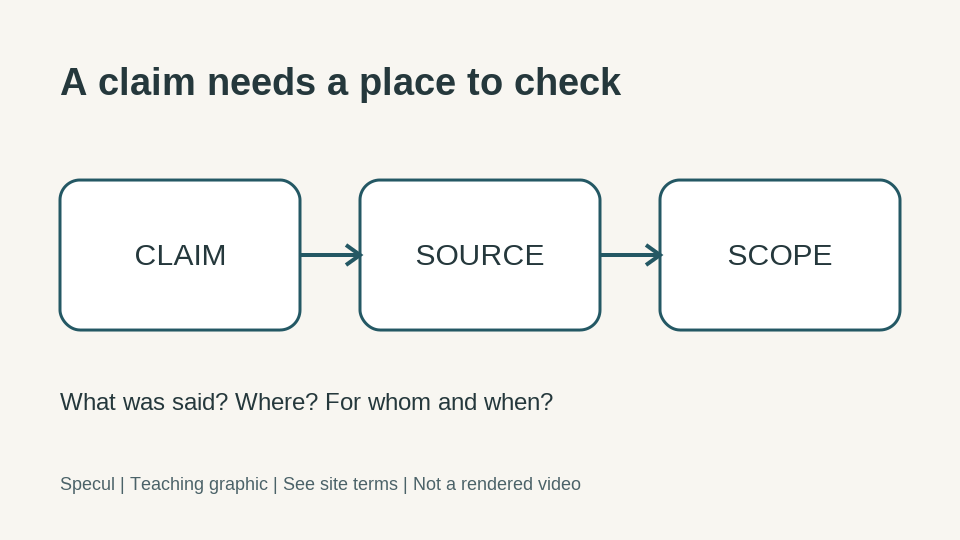
The teaching film explains tracing a claim to its source. Inputs include eight durations and a site-authored SVG card; no third-party music, likeness or voice permissions are supplied.
Deliverable
Deliver brief, storyboard, asset-rights ledger, caption script, render settings and checks. Mark a video complete only after actual export and playback.
Find resources by role
Resources illustrate roles. Inspect their conditions first; there is no mandatory combination.
Set facts and audience
State what viewers should learn. Separate factual claims from illustration; do not put unverified numbers in narration.
Allocate shots and assets
Sum eight shot durations to 60 seconds. Record visual, text, sound and source per shot. The supplied SVG is original teaching material, not a licence for unrelated music.
Check generation and export conditions
Check accounts, asset input, billing, output format and watermarks before choosing tools. The directory confirms Runway Assets ZIP batch downloads only, not model resolution or plan quotas.
Inspect the exported file
Check actual duration, visual/caption sync, audio, evidence/rights, player and destination requirements. Record the actual file; a plan or preview is not completed delivery.
How to check the deliverable
- Eight planned durations sum to 60 seconds; actual video duration awaits export.
- Each asset has provenance and rights; assets with unknown permissions stay out of publication.
- Check captions, audio, container/codec, destination requirements and export restrictions separately.
When it fails
Continue the one-minute-video workflow
On-site support:Data · Cloud · Skills · Evals · OSS
Sample input · Designed reference · Blank worksheet · Original card and attribution
AI pre-launch security review
Record scope, data flow, permission boundaries and rollback so they can be re-checked. The bundled log lines and checklist are fictional teaching material, not the result of a real penetration test.
Open inputs, steps and acceptance
Input
A system description of a fictional retrieval assistant, three log lines carrying two fictional key formats, and three boundaries: accounts, tool permissions and retention. The hours and cost figures are fictional estimates and describe no real system or incident price.
Deliverable
Deliver a scope table, data-flow and boundary record, a check ledger (basis, result, reproduction) and open risks with rollback. Mark a check passed only when it was actually run and evidenced.
Find resources by role
Resources illustrate roles. Inspect their conditions first; there is no mandatory combination.
Fix scope and assets
State the version under review, the data classes involved, who can see production prompts and logs, and which capabilities reach outside. Label the exercise scope as teaching scope; it is not an audit of a real system.
Map the data flow and its boundaries
For input, application, model provider and tracing/storage, record whether data leaves the machine, whether it is retained and for how long. Keep vendor privacy statements as dated documentation claims, not verified behaviour.
Run one round of re-checkable checks
Cover prompt injection, over-permitted tool calls, secrets reaching logs, known dependency vulnerabilities, and export/deletion paths. Record the basis (official page, code or an actual run), the result and the reproduction; leave unrun items blank instead of guessing.
Deliver the risk register and release conditions
Give each risk a mitigation, owner, verification method and rollback, keeping not covered distinct from not applicable. Release readiness follows scope and evidence, not an overall score or grade.
How to check the deliverable
- Every conclusion returns to a specific location (file and line, configuration key or dated official page); it looks safe is not recorded as evidence.
- Both fictional secrets in the bundled logs — the sk- value in the message and the token value in a URL query — are unreadable after masking, and uncovered formats stay labelled uncovered.
- Dependency advisories, model licences and data retention each carry their own source and check date; marketing statements are not mixed with observed results.
When it fails
Continue with the agent-guardrails checklist
On-site support:Data · Cloud · Skills · Evals · OSS
Sample input · Designed reference · Blank worksheet · Under-masked code · Reference masking
Build an evaluation pipeline
Freeze the dataset, record runs, define metrics and set a regression gate, with the denominator and versions explicit first. The bundled numbers are fictional estimates, not measured scores for any model or product.
Open inputs, steps and acceptance
Input
The input has ten samples from a fictional dataset (two left unjudged), a draft metric definition and a cost estimate labelled fictional. There is no real user data, and nothing here claims that a model or provider was run.
Deliverable
Deliver a version-pinned dataset, metric definitions (numerator, denominator and unjudged handling), run records, a regression gate and the failing cases. Runs that were not executed stay unexecuted.
Find resources by role
Resources illustrate roles. Inspect their conditions first; there is no mandatory combination.
Freeze the dataset and definitions
State sample provenance, deduplication, the correct-answer rule per case and what counts as unjudgeable, then give the dataset a version. Label synthetic cases; do not silently harvest production logs.
Keep run records comparable
Record the dataset version, prompt and code revision, model identifier and parameters and the judging standard for each run. Note missing fields instead of backfilling notes that make two runs look identical.
Guard the denominator when scoring
Decide first whether unjudged, errored and timed-out rows enter the denominator, then compute accuracy and report counts together with percentages. If many rows are skipped, investigate the cause before moving the threshold.
Set a regression gate and keep failing cases
State the gate as a delta from the previous baseline with an allowed band, and archive failing cases for review. Mark cost and duration as fictional estimates rather than vendor promises or measured throughput.
How to check the deliverable
- Every metric has a definition, numerator and denominator rule and data source; unjudged rows are counted separately, never as a pass or a fail.
- Two runs are comparable: dataset version, model identifier and judging standard are in the record, so changes are traceable.
- The bundled scoring function matches the reference on inputs that contain unjudged rows, and returns not-computable when nothing was judged.
When it fails
Continue with the agent-evaluation workflow
On-site support:Data · Cloud · Skills · Evals · OSS
Sample input · Designed reference · Blank worksheet · Wrong scoring · Reference scoring